
How to Host an OpenRCT2 Server – Step-by-Step Guide for Theme Park Managers
If you want to build, manage, and grow a theme park together with friends, hosting your own OpenRCT2 server is the perfect solution. A dedicated server gives you full control over park settings, player access, and long-term progress without relying on peer-to-peer connections.
This guide explains how to host your own OpenRCT2 server and why Citadel Servers is a reliable partner for multiplayer park management.
Step 1: Pick a Reliable Hosting Provider
While OpenRCT2 is lighter than many modern games, a stable and responsive server is still essential for smooth multiplayer sessions and consistent park synchronization.
When selecting a hosting provider, focus on:
Performance: A solid CPU and fast SSD or NVMe storage help keep the server responsive as your park grows.
Network Quality: Low latency and reliable uptime ensure smooth building, editing, and guest simulation.
Ease of Management: A simple control panel makes server setup and configuration accessible, even for first-time hosts.
Support Availability: 24/7 support ensures help is available whenever you need assistance.
Citadel Servers provides dependable hardware, low-latency networking, and easy management tools ideal for hosting OpenRCT2 servers.
Step 2: Order Your Hosting Plan
Once you’ve decided to host with Citadel Servers, getting started is simple:
1. Go to the OpenRCT2 hosting page.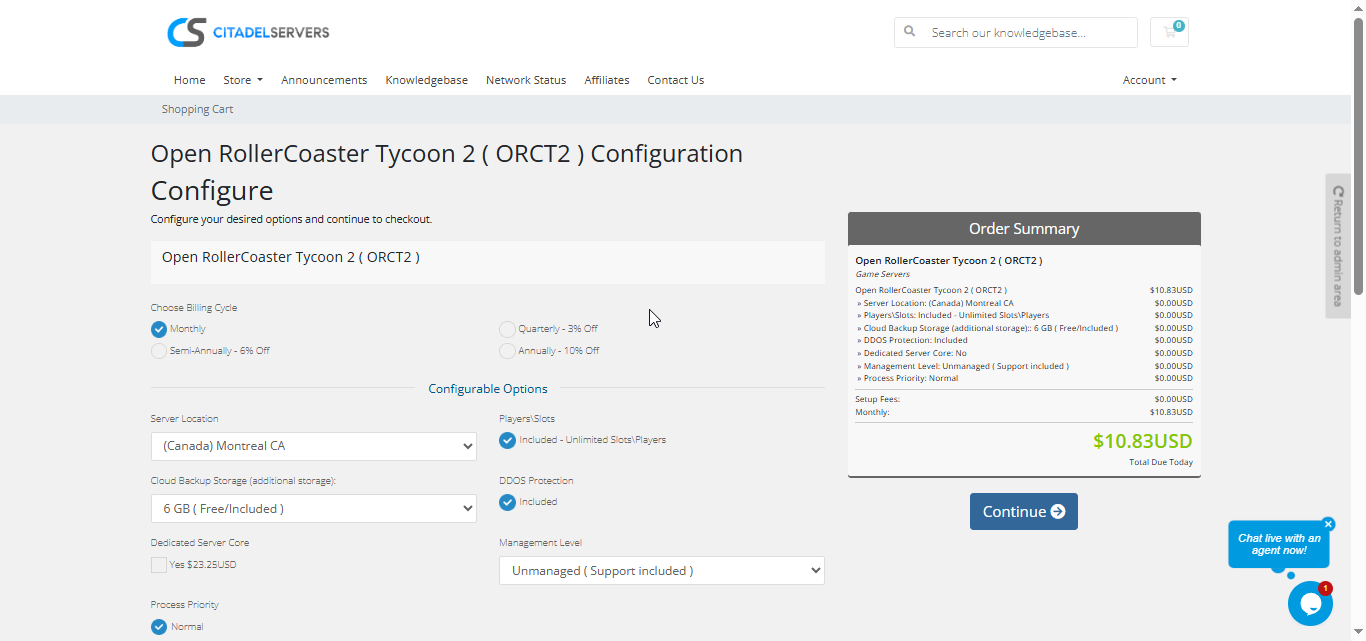
2. Choose how many player slots you want.
3. Pick your server location closest to your player base for the best ping.
4. Select any extras, like process priority, premium support, etc.
5. Proceed to checkout, once payment is confirmed, your server deploys automatically.
You’ll receive an email with your control panel login details and connection info within minutes.
Step 3: Configure Your Server
After deployment, it’s time to personalize your world:
- Follow our Quick Start Guide
Set your server name, password, and access permissions.
Upload your park save file or start a brand-new park.
Configure gameplay rules such as sandbox settings, money restrictions, and player permissions.
Manage configuration files directly through the control panel or via FTP/SFTP for advanced customization.
All configuration is handled through the Citadel Control Panel, designed to be clean, intuitive, and efficient.
Step 4: Launch and Play
When your settings are ready, start your server from the panel and invite your friends.
Players can connect via the in-game server browser or by entering the server’s IP and port.
You can monitor activity, manage users, and restart your world at any time, all through the same web interface.
Why Host with Citadel Servers
Hosting OpenRCT2 with Citadel Servers gives you a stable, always-online multiplayer environment where you and your friends can build the ultimate theme park together.
What Makes Us Stand Out
Instant Setup: Your server is deployed automatically right after payment, so you can start surviving within minutes.
High-Performance Hardware: All servers run on dedicated CPU resources and ultra-fast NVMe SSD storage for smooth gameplay and minimal lag.
Global Data Centers: Choose from multiple worldwide locations to ensure the best connection for you and your players.
Full Access & Mod Freedom: Enjoy complete file access, upload, edit, and customize every part of your game world.
One-Click Mod Manager: Our built-in modding system lets you browse, install, update, and manage mods instantly without touching complicated tools.
Automated Backups & Easy Restarts: Protect your progress with regular backups and manage reboots directly from your control panel.
24/7 Expert Support: No matter your time zone, our technical team is always available to help you resolve issues quickly and get you back in the game.
Your world deserves a strong, stable foundation and that’s exactly what Citadel Servers delivers: performance, control, and reliability designed for serious survivors.

